
Description
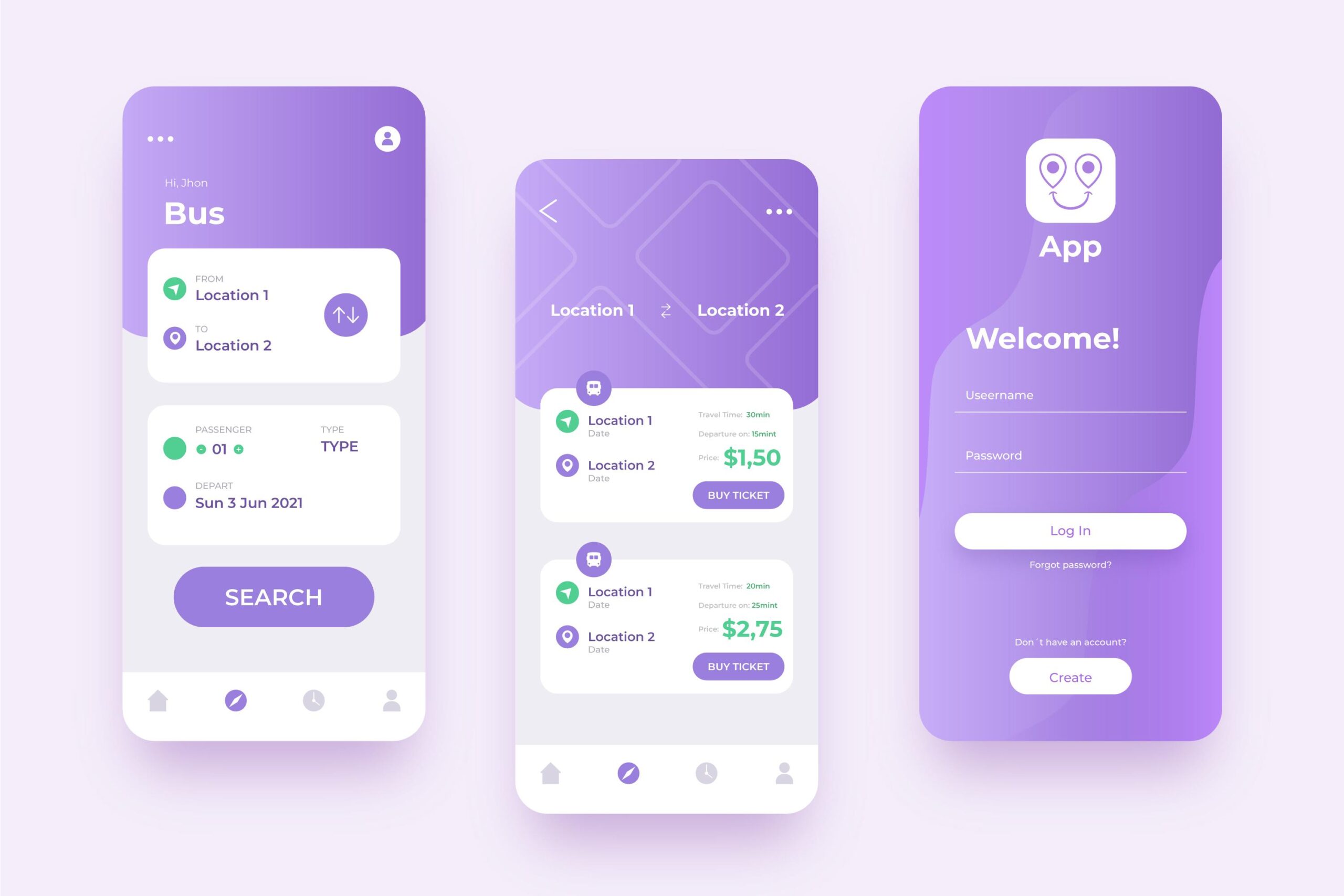
- Splash Screen: The initial screen that appears when the app is launched, displaying your app’s logo or branding.
- Onboarding Screens: Optional screens that introduce users to the app’s features, benefits, and instructions. These screens are typically shown to new users.
- Login/Registration Screen: Allows users to create new accounts or log in to existing ones. It may include fields for username/email and password, as well as options for social media login.
- Home Screen: The main screen of the app, where users can access the core features and content.
- Navigation Drawer: A hidden panel that slides out from the side of the screen, providing access to additional app sections or settings.
- Lists/Grids Screens: Screens that display dynamic lists or grids of items, such as a list of products, contacts, or news articles.
- Detail Screens: Screens that provide more detailed information about a specific item or topic. Tapping on an item in a list/grid often leads to its corresponding detail screen.
- Forms Screens: Screens that include input fields and allow users to enter or update information. Examples include profile editing screens or checkout screens for e-commerce apps.
- Settings/Preferences Screen: Allows users to customize the app’s behavior, adjust preferences, and manage account settings.
- Notifications Screen: Displays a list of notifications or alerts that the user has received.
- Search Screen: Enables users to search for specific content within the app.
- Error/No Internet Screens: Screens that inform users about errors, such as network connectivity issues, and provide appropriate feedback or instructions.
- Flutter is user for create both Android and ios mobile applications
Reviews
There are no reviews yet.